20 Student Planner Ideas to Stay Organized and Productive
Most planner advice online is written for adults juggling work meetings and grocery lists. It’s not wrong, exactly — it’s just not built for the actual shape of a school schedule, where your week revolves around classes, assignments, and exam dates instead of client calls.
A student planner needs to do a specific job: track classes, homework, tests, and deadlines in a way that’s fast to check and hard to ignore. Generic “notes page” ideas about vision boards and recipe lists don’t really solve that.
This list is organized the way an actual planner is organized — daily and weekly spreads, monthly overviews, subject tracking, exam prep, and a few extra pages worth adding. Twenty ideas, all built specifically around school life.
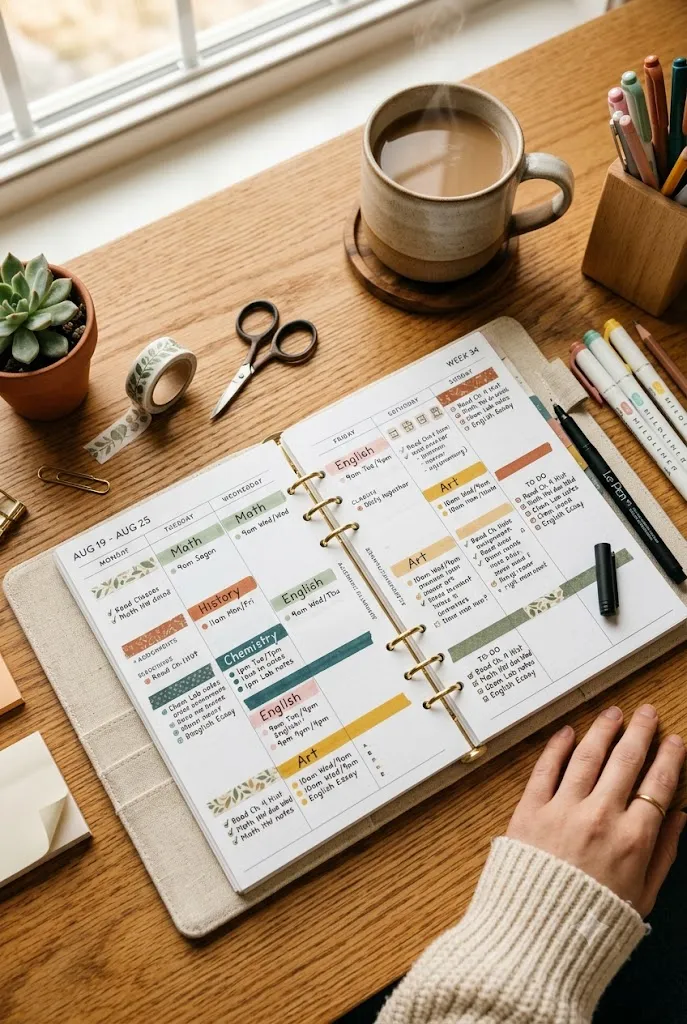
How to Set Up a Student Planner Ideas That You’ll Actually Use
Before jumping into specific pages, it’s worth thinking about the planner itself and the habit around using it.
Choosing a planner format that matches your schedule
A student with the same five classes every day needs a different layout than a student whose schedule rotates on a block system or changes by semester. Look for a planner with either a flexible weekly grid or one specifically designed for a rotating schedule, rather than forcing a rigid format to work around your actual timetable.
If your current planner constantly feels like it’s fighting your schedule, that’s usually a sign to switch formats, not to try harder with the wrong one.
Building a habit around checking it daily
A planner only works if it gets opened regularly, which means the habit matters just as much as the layout. Pick one consistent moment, like right when you get home or right before bed, to update and check it.
Pairing your planner check with something you already do every day, like packing your bag for tomorrow, makes the habit far more likely to stick.
Related : 15 School Organization Ideas Every Student Needs This School Year
Daily & Weekly Spread Ideas
These are the pages you’ll use most often, so they’re worth setting up carefully from the start.
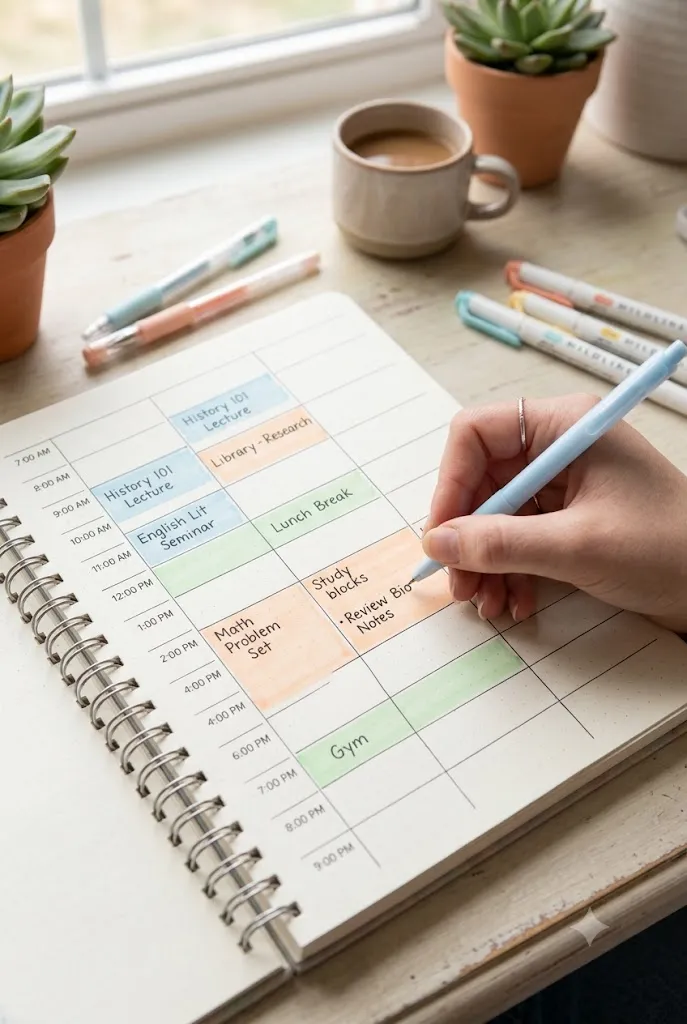
1. Time-Blocked Daily Schedule Page
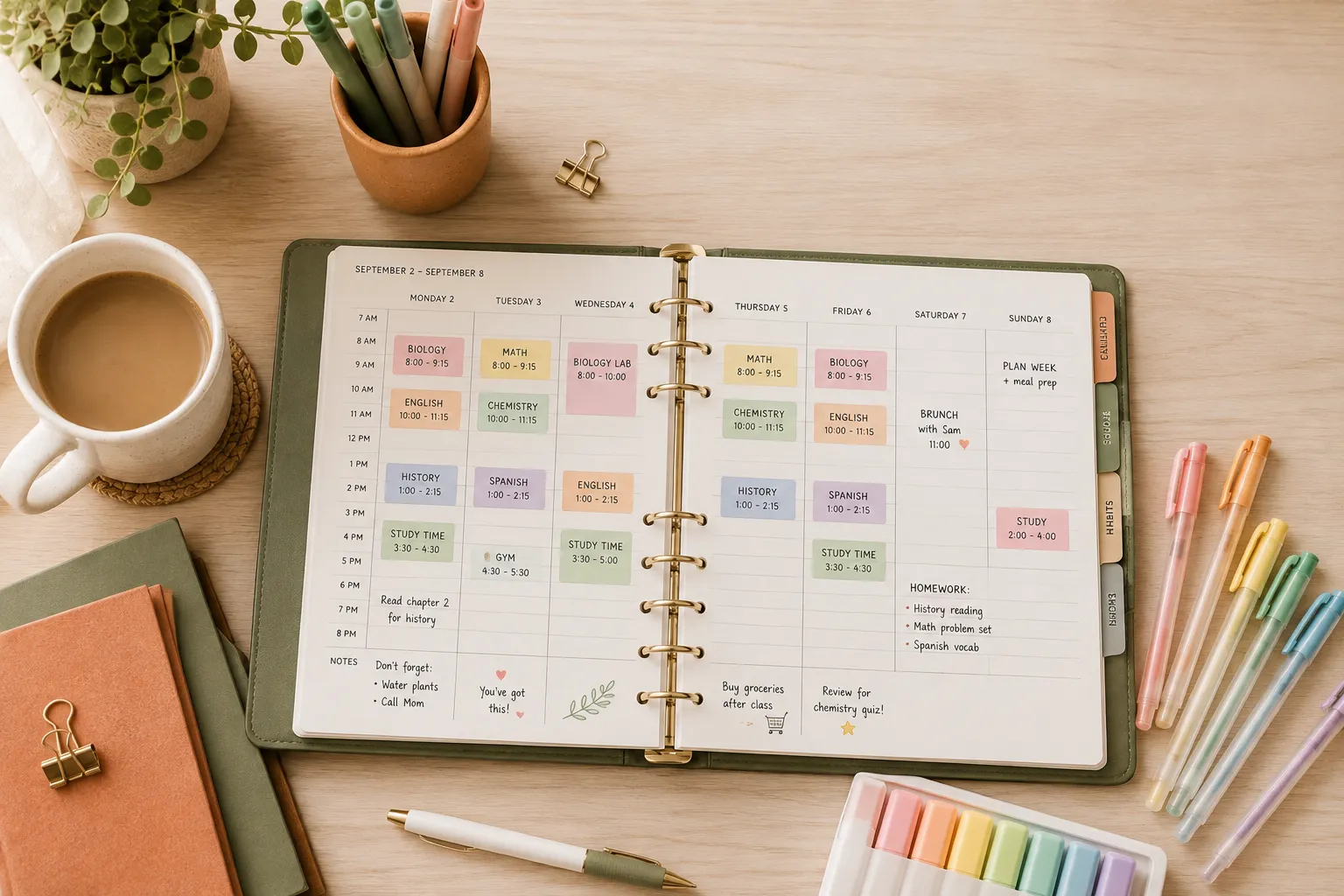
A time-blocked layout divides your day into hour-by-hour segments, so class times, study blocks, and free time are all mapped out visually instead of listed as a loose to-do list. This works especially well for students juggling classes, a job, or extracurriculars on top of homework.
Color-coding each block by category (classes, study time, personal time) makes the page easy to scan at a glance.
2. Weekly Class & Assignment Overview
A single weekly spread showing all classes and their assignments side by side helps you spot overlapping deadlines before they sneak up on you. Set this page up every Sunday evening so the whole week is mapped out before Monday morning hits.
This is one of the most useful pages for avoiding the “I have three things due the same day” surprise.
3. Color-Coded Class Schedule Key
Assigning one consistent color to each class and using it across every planner page — daily spreads, monthly calendars, assignment lists — makes your whole planner easier to read at a glance. Keep a small key in the front of your planner as a reference until the colors become second nature.
This system also makes it easy to notice at a glance which class is generating the most work in a given week.
4. Daily Priority Top-3 Tracker
A small daily section listing just your top three priorities keeps an overwhelming to-do list from taking over the whole page. Choose these three each morning or the night before, focusing on what actually needs to happen that day rather than everything on your radar.
This page is especially helpful for students who tend to write long to-do lists but struggle to know where to actually start.
5. Weekend Reset & Prep Page
A dedicated weekend page for reviewing the week ahead, restocking supplies, and doing a quick backpack or binder cleanout keeps Monday mornings from starting off behind. Use it to double-check upcoming due dates and lay out anything you’ll need for the first few days of the week.
This one habit alone can prevent most of the “I forgot I had that due” moments students run into.
Monthly Overview Ideas
Zooming out to a monthly view helps you catch bigger deadlines and patterns that a daily or weekly page alone might miss.
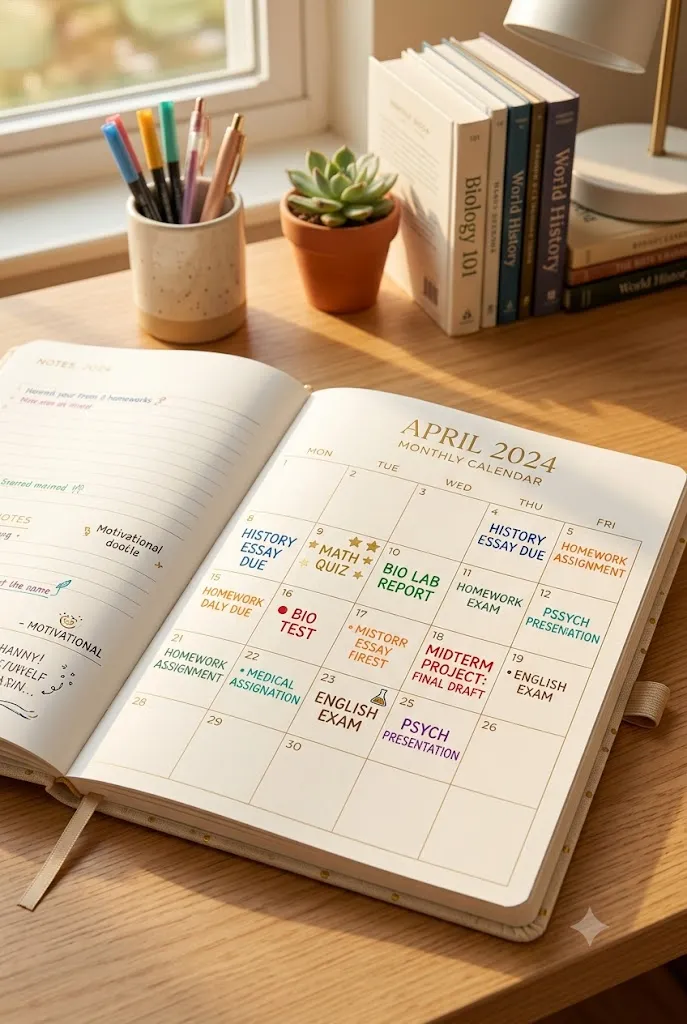
6. Monthly Assignment & Due Date Calendar
A full monthly calendar with major assignments, tests, and project deadlines written directly on their due dates gives you an at-a-glance view of how busy each week is shaping up to be. Fill this in as soon as you receive a new syllabus, rather than waiting until deadlines get closer.
Seeing three deadlines land in the same week early on gives you time to start that work sooner instead of scrambling later.
7. Monthly Habit Tracker for Study Routines
A simple grid tracking daily habits — like reviewing notes, reading for 20 minutes, or studying without your phone nearby — helps build the small routines that add up to real academic progress. Mark an X or fill in a box each day you complete the habit, and don’t worry about a perfect streak.
This page works well paired with the daily priority tracker, since habits often support the goals you’re setting each day.
8. Extracurricular & Activity Overview Page
A monthly page dedicated to sports, clubs, or other activities keeps non-class commitments from getting lost in a planner focused mostly on academics. List out practice times, meeting days, and any events coming up so you can plan study time around them realistically.
This is especially useful for students balancing a busy activity schedule with a full course load.
9. Monthly Grade Check-In Page
A simple page for logging current grades or progress in each class once a month helps you catch a slipping grade early instead of finding out at report card time. Jot down a quick note on what’s working or what needs more attention in each subject.
This small habit turns grade-checking into a routine instead of something that only happens after a bad test.
Class & Subject Tracking Ideas
Beyond the calendar-style pages, dedicated subject trackers help manage the ongoing work that doesn’t fit neatly into a single day.
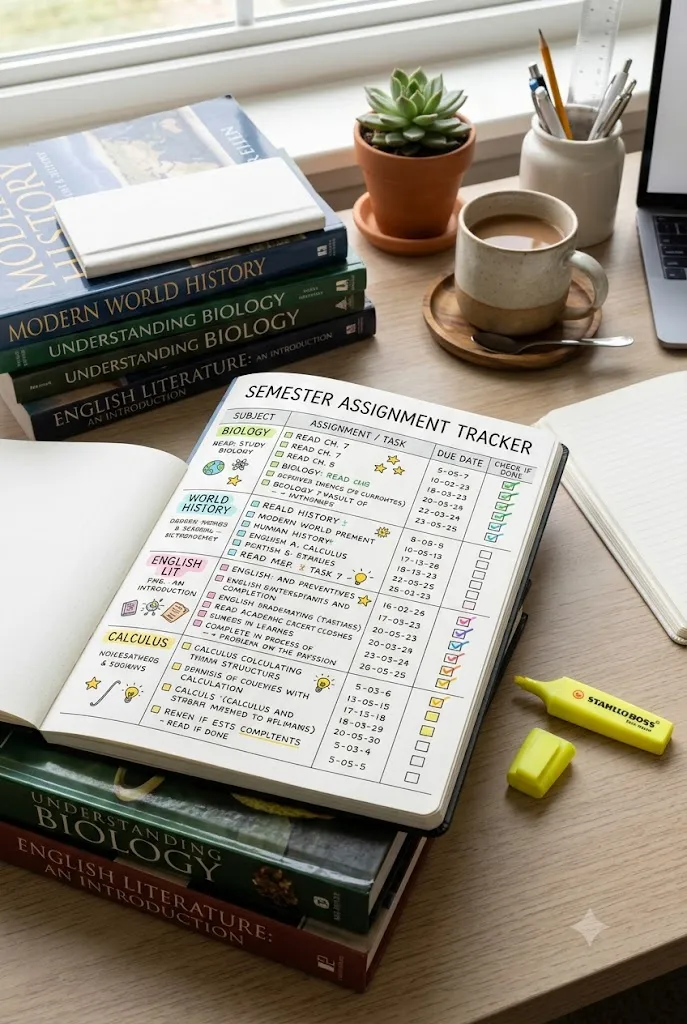
10. Per-Subject Assignment Tracker
A dedicated tracking page for each class, listing assignments, due dates, and completion status, keeps ongoing coursework organized separately from daily to-do lists. This is especially useful for classes with long-term projects or a heavy homework load that spans multiple weeks.
Reviewing this page once a week helps you catch anything that’s been sitting unfinished longer than it should.
11. Reading & Homework Log
A simple log tracking reading assignments — book, chapter, and pages completed — helps in classes where reading load is heavy and easy to lose track of. This also doubles as a quick reference when studying for a test that covers several chapters at once.
For younger students, this page can be simplified to just tracking completed vs. not-yet-completed homework by subject.
12. Group Project Task Tracker
A page specifically for group project deadlines, task assignments, and each teammate’s responsibilities prevents the common group-project problem of unclear ownership. List out who’s doing what and by when, and check in on it as the deadline approaches.
This page is especially valuable for older students managing multiple group projects across different classes at once.
13. Teacher Contact & Office Hours Page
A simple reference page listing each teacher’s or professor’s email, office hours, and preferred contact method saves time when you need to ask a quick question or request an extension. Keep it near the front of your planner so it’s easy to find without flipping through the whole book.
This page becomes especially useful heading into exam season, when quick access to office hours matters most.
Exam & Study Prep Pages
Test season needs its own planning system, since the work leading up to an exam looks different from regular daily homework.
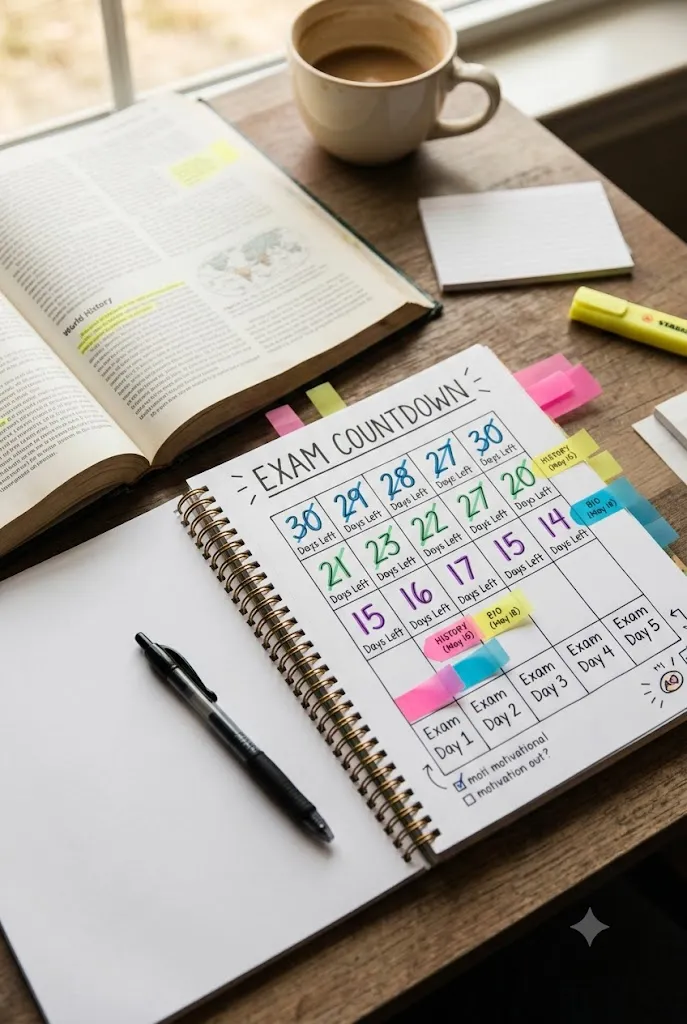
14. Exam Countdown Tracker
A simple countdown page listing upcoming exams and the number of days remaining until each one helps you visualize how much prep time you actually have. Update it weekly as exam dates approach so the countdown stays accurate and motivating rather than vague.
This page works especially well combined with a study session planner to map out exactly how those remaining days will be used.
15. Study Session Planner Page
A page for scheduling specific study sessions — subject, topic, and time block — turns “I should study” into an actual plan with a set time and focus. Breaking a big exam into several smaller, scheduled sessions makes the material feel far more manageable than one long cram session.
This page pairs naturally with the exam countdown tracker, since it turns those remaining days into a concrete plan.
Related : Back to School Ideas: Your Complete Guide for an Organized, Stress-Free School Year
16. Test Score & Review Log
A running log of test scores alongside a brief note on what went well or what to review next time builds a useful record for studying smarter as the semester continues. Reviewing this page before a final exam can highlight patterns, like which type of question consistently causes trouble.
Over time, this page becomes one of the most useful tools for improving study habits, not just tracking grades.
Goal-Setting & Motivation Pages
Beyond the day-to-day logistics, a student planner also has room for the bigger picture — goals and motivation that keep the whole system feeling worthwhile.
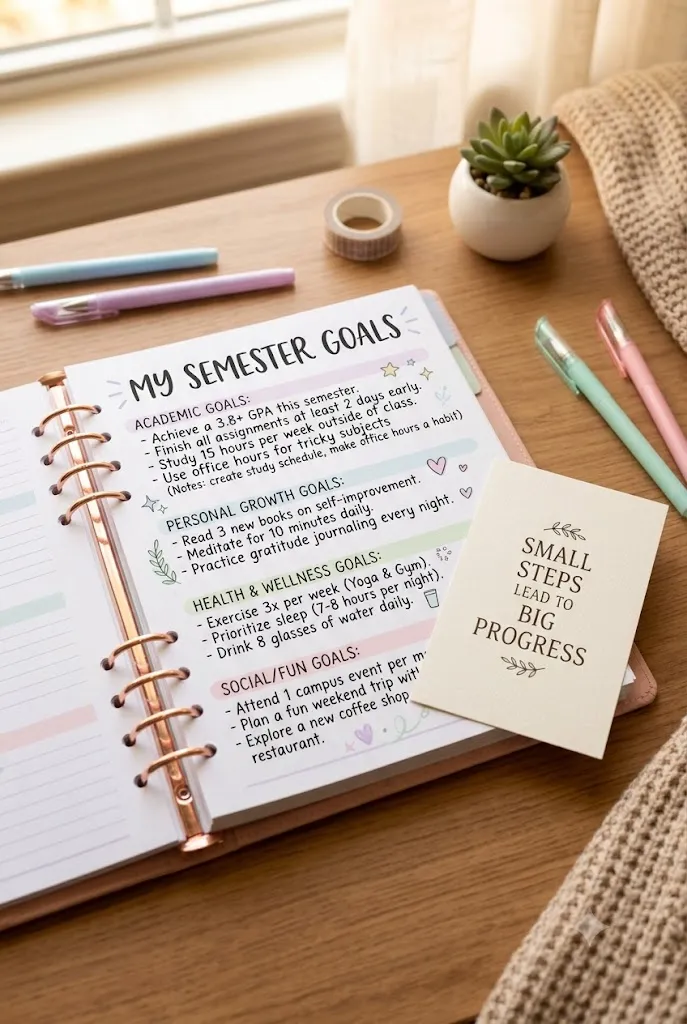
17. Semester Goal-Setting Page
A dedicated page at the start of each semester for writing out academic and personal goals gives your planner a sense of direction beyond just tracking deadlines. Break bigger goals into smaller action steps so they connect back to the daily and weekly pages you’re already using.
Revisiting this page mid-semester is a good way to check in on progress before it’s too late to adjust.
18. Motivational Quote & Reflection Page
A simple page for favorite quotes, reminders, or brief weekly reflections adds a personal touch to a planner that might otherwise feel purely functional. This is also a low-pressure space to jot down what’s working well or what felt hard that week.
Even a single sentence of reflection each week can make patterns — both good and bad — much easier to notice over time.
Extra Planner Pages Worth Adding
A few final pages round out a student planner and solve smaller, practical problems that come up throughout the year.
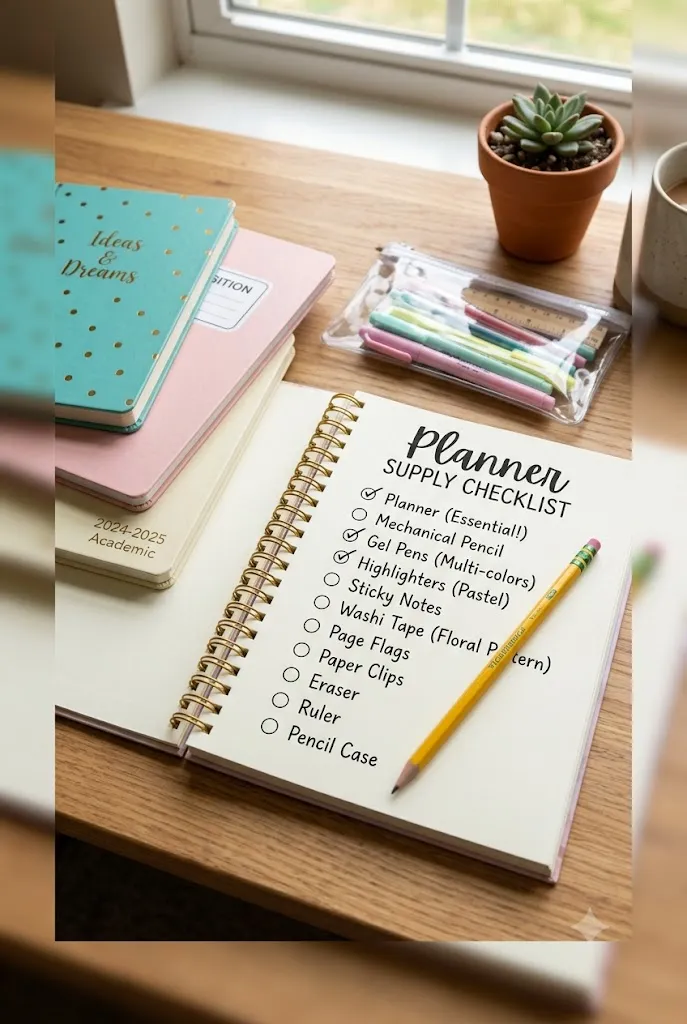
19. Supply & Book List Checklist Page
A running checklist of supplies, textbooks, and materials needed for each class keeps you from realizing you’re missing something the night before it’s due. Update it at the start of each semester and check back in periodically as supplies run low.
This page is especially helpful for students managing supplies across several different classes with different requirements.
20. End-of-Semester Reflection Page
A short reflection page at the end of each semester — what worked, what didn’t, and what to change next time — turns your planner into a tool that actually improves over time. Use it to note which systems from this list were genuinely useful and which ones you skipped or adjusted.
This final page is often the most valuable one in the whole planner, since it’s the difference between repeating the same struggles each semester and actually building a system that works for you.
Frequently Asked Questions
What should a student planner include at a minimum?
At the very least, a student planner should have a place to track class schedules, assignment due dates, and upcoming tests, since these three things cause the most stress when they’re not written down somewhere reliable. Everything else on this list is a helpful addition, but those three core pages are the non-negotiables.
How is a student planner different from a regular life planner?
A student planner is built specifically around the rhythm of a school schedule — classes, assignments, exams, and semesters — while a general life planner tends to focus on broader categories like budgeting, meal planning, and personal errands. Using a planner designed for school life usually means less time adapting a generic layout and more time actually using it.
Should students use a digital or paper planner?
Both work well, and the right choice usually comes down to personal habits rather than one being objectively better. Paper planners tend to help with memory retention and reduce screen time, while digital planners offer built-in reminders and are easier to update on the go — some students even use a mix of both.
How often should a student update their planner?
A quick daily check-in paired with a slightly longer weekly review tends to work best for most students, keeping the planner accurate without becoming a time-consuming task itself. Monthly pages need less frequent updates, usually just once at the start of each month and a quick check-in partway through.
What age is appropriate to start using a student planner?
Most students can start with a simplified version by upper elementary school, focusing on just a daily schedule and a homework checklist. As students get older, more advanced pages — like subject trackers, exam countdowns, and goal-setting pages — can be added as their workload and independence grow.
Final Thoughts
A student planner works best when it’s built around how school actually functions, not forced into a format designed for a completely different kind of life. Starting with the basics — a weekly overview and a monthly calendar — gives you a solid foundation, and you can layer in more specific pages, like exam trackers or goal-setting spreads, as you figure out what you actually need.
Pick two or three ideas from this list to start with rather than trying to set up all twenty pages at once. The right system is the one you’ll actually keep using, and that usually means starting simple and building from there.